- Testimonials & Reviews
See what our customers and the press have to say
- View Products
View all our products
- Buy Now!
Order our products online now!
- How-to-Guides
Step-by-step solutions for common problems.
- Documentation
View the software help files and other resources.
- Contact Us
For Technical Support and all other inquiries.
- Languages


Last updated: April 14, 2020
ShadowCopy V2.02
Free Download
ShadowCopy
English (0.92MB)
Copy all your files - even if they are locked by Windows
File Size:0.92 MB
Price: Free
System Requirements: Windows XP, 2003, Vista, Windows 7, Windows 8, Windows 10
Product Highlights
|
|
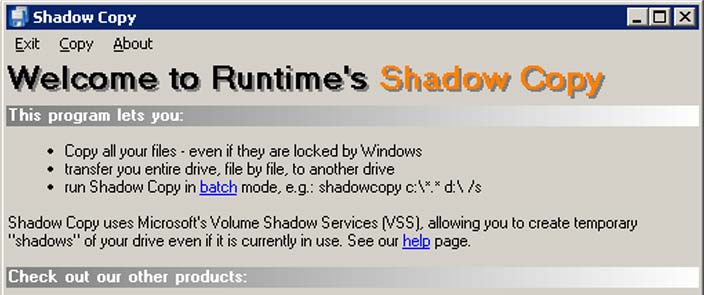
Copy all your files - even if they are locked by Windows
ShadowCopy is a simple program that copies all files from one place to another. Other than usual file managers, such as Windows Explorer, it copies all files including locked and open files. This is made possible by using Microsoft's Volume Shadow Services (VSS).
Copy your entire system
You can easily copy the content of an entire hard disk to another disk. If you copy, for example, C:\ to D:\, you will even be able to boot from that drive. Since ShadowCopy is capable of tranferring all the system files you will have an almost exact clone.
ShadowCopy Tips:
- You need to make the new partition active (in Windows Disk Management).
- You also might need to set a new Disk ID using DriveImage XML.
- You will probably have to reactivate Windows and some other copy-protected programs.
Automate ShadowCopy
ShadowCopy can be run from the command prompt, batch or task scheduler. The available switches are:
| Switch | Description | |
| /s | copy subdirectories | |
| /j | parse junctions | |
| /i | ignore errors | |
| /y | overwrite existing files | |
| /r | overwrite read-only files |
It's free!
Since we do not charge for ShadowCopy, we do not provide any support for it. If you have problems with VSS, please check the DriveImage XML documentation and the DriveImage FAQ. If you want to boot from a copied drive, also check these resources. If nothing helps please check online.